Tesla Drive History & Trip Log
Every trip your Tesla makes, logged automatically from the car's own telemetry stream — state of charge, duration, distance, efficiency, and top speed, plus a route map and analytics for the range. Free during Amped's beta.
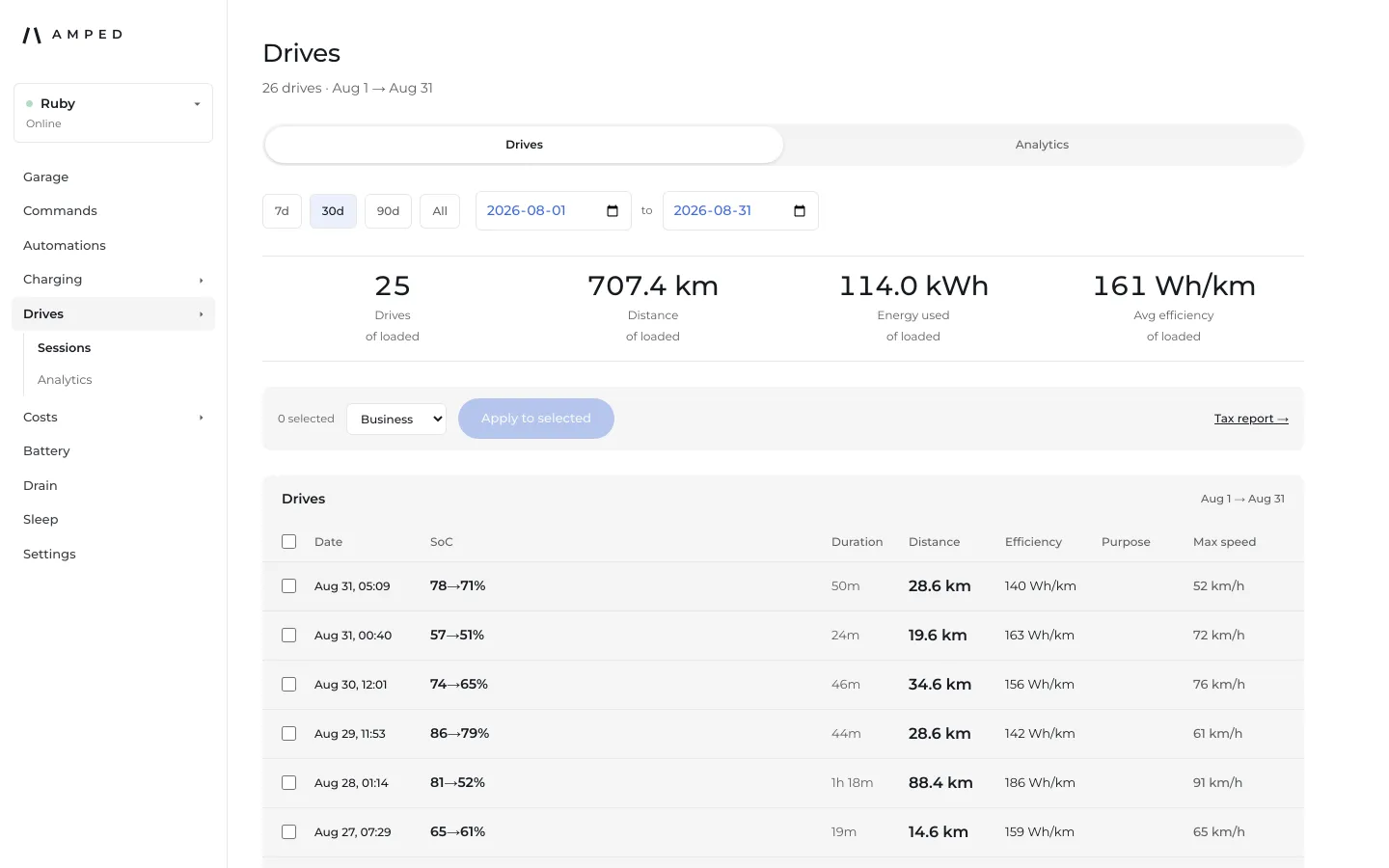
Every drive, on the record
Each trip appears in the drives list as soon as it's built from the car's own Fleet Telemetry stream — no manual logging, no odometer photos.
The numbers that matter, per trip
Date and time, state-of-charge span, duration, distance, efficiency in Wh/km, and top speed — one row per drive, sorted newest first.
Estimates are labeled
A drive closed from incomplete telemetry gets an "Estimated" badge right in the list, instead of presenting a reconstructed trip as an exact one.
Route and speed, per drive
Open any drive for its GPS route on a map and a speed-over-time chart — when the car has no recorded path, Amped says so rather than showing an empty map.
Analytics across a range
A separate analytics tab charts distance, energy used, and efficiency trend by day, week, or month over any date range you pick.
A grounded comparison to gas
With a fuel price and consumption set in Settings, the analytics tab shows recorded charging cost against what the same distance would have cost at the pump — labeled against your own recorded cost, not a headline "money saved" claim.
FAQ
How does Amped log my Tesla drive history?
Automatically, from the car's own Fleet Telemetry stream — every trip's state-of-charge span, duration, distance, efficiency, and top speed is recorded with no manual input.
What does the "Estimated" badge mean?
It marks a drive that was closed from incomplete telemetry rather than a clean start/stop signal — Amped labels it rather than presenting a reconstructed trip as an exact one.
Can I see the route I drove?
Yes — each drive has a detail page with its GPS route on a map and a speed-over-time chart, when the car recorded a path.
Does it compare driving cost to gas?
Yes, once you set a fuel price and consumption figure in Settings — the drives analytics tab shows your recorded charging cost against an estimated gas-equivalent cost for the same distance. It's explicitly labeled against your own recorded cost, not a guaranteed savings number.